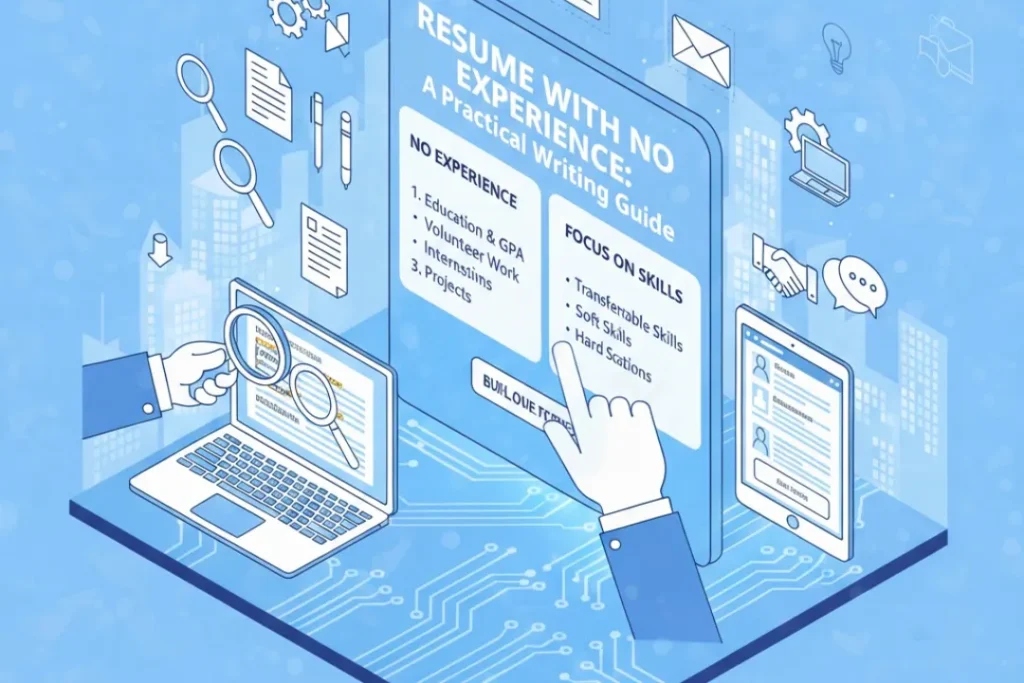
Resume With No Experience: A Practical Writing Guide
Meta Title: Resume With No Experience: Complete Guide + Templates 2026 Meta Description: Create a strong resume with no work experience. Learn what to include, how to format, and get templates that help students and freshers land jobs. Creating your first resume when you have no professional work experience can feel like an impossible challenge. How do you fill a page when you’ve never held a full-time job? The truth is, you have more to offer than you realize. Your education, projects, volunteer work, extracurricular activities, and transferable skills all demonstrate value to potential employers. This practical guide will show you exactly how to create a compelling resume that opens doors, even when your work history section is empty. Understanding What “No Experience” Really Means First, let’s reframe your thinking. “No experience” typically means no formal, paid, full-time employment in your field. However, you likely have relevant experience through academic projects, internships or part-time jobs, volunteer activities, leadership in student organizations, freelance or gig work, personal projects or hobbies, coursework and certifications, and skills developed through various activities. Employers hiring entry-level candidates understand you won’t have extensive work history. They’re evaluating your potential, eagerness to learn, foundational skills, and cultural fit. Your resume needs to demonstrate these qualities through the experiences you do have. The Optimal Resume Structure for Beginners When you lack professional experience, strategic organization becomes crucial. Here’s the recommended structure that puts your strengths first: 1. Contact Information Header Include your full name, phone number, professional email address, city and state (full address unnecessary), LinkedIn profile URL (customize it), and optional portfolio website or GitHub profile. Example: Professional Email Tips: Use a simple format like firstname.lastname@email.com. Avoid unprofessional addresses like coolboy123@ or partygirl@. Create a new email if needed specifically for job applications. 2. Professional Summary or Objective For those with no experience, a well-crafted objective statement actually works better than for experienced professionals. Use 2-3 sentences to communicate your current status (student, recent graduate), your strongest relevant skills or qualities, and what you’re seeking and can contribute. Strong Example: “Motivated Computer Science student with strong programming skills in Python and Java, seeking software development internship to apply technical knowledge and problem-solving abilities. Completed 5 academic projects including a mobile app with 1,000+ downloads, demonstrating ability to deliver functional solutions.” Weak Example: “Hard-working student looking for a job where I can learn and grow in a challenging environment.” The difference? Specificity. The strong example mentions actual skills, achievements, and clear goals. The weak version could apply to anyone seeking any position. 3. Education Section (Your Strongest Asset) Place education prominently near the top of your resume since it’s currently your primary credential. Include degree name and major, institution name, expected graduation date (or graduation date if recently completed), GPA (if 3.0 or higher), relevant coursework, academic honors and awards, and study abroad or special programs. Example: Coursework Selection: Choose 5-8 courses most relevant to your target jobs. This shows you have foundational knowledge even without workplace experience. 4. Skills Section Create a comprehensive skills section organized by category. This is crucial for applicant tracking systems and shows employers you have relevant capabilities. Categories to Consider: Technical Skills, Software/Tools, Language Proficiencies, Digital Marketing, Data Analysis, Communication Skills, and Laboratory Techniques (for science students). Example: Important: Only list skills you genuinely possess. Be prepared to discuss any skill listed during interviews. 5. Projects Section (Your Experience Substitute) This section is your secret weapon. Academic, personal, or volunteer projects demonstrate practical application of skills and initiative. For each project include project name and brief description, your role and responsibilities, technologies or methods used, and quantifiable outcomes when possible. Example: Notice how each project includes action verbs, specific details, and measurable results—just like professional work experience. 6. Experience Section (Including Non-Traditional Experience) Even without formal employment, you can include internships (paid or unpaid), volunteer work, freelance projects, part-time or seasonal jobs, relevant campus jobs, and leadership positions in organizations. Example: Key Point: Even retail, food service, or tutoring jobs demonstrate transferable skills like customer service, reliability, teamwork, communication, and problem-solving. 7. Extracurricular Activities and Leadership Involvement in campus organizations, sports teams, or community groups shows initiative, teamwork, and time management. Example: 8. Certifications and Additional Training Online courses, certifications, and workshops demonstrate initiative and current skills. Include certification name, issuing organization, and completion date. Example: Free Certification Sources: Google Digital Garage, HubSpot Academy, LinkedIn Learning, Coursera, edX, and IBM SkillsBuild offer valuable free certifications. 9. Optional: Volunteer Work Section If you have significant volunteer experience, create a separate section. Otherwise, include it in your Experience section. Example: Formatting Best Practices for Entry-Level Resumes Keep It to One Page: With limited experience, you should easily fit everything on a single page. Use space efficiently with appropriate margins (0.5-1 inch) and concise bullet points. Use Clean, Professional Formatting: Choose readable fonts like Arial, Calibri, or Times New Roman in 10-12 point size. Maintain consistent formatting throughout with clear section headers, adequate white space, and simple bullet points. Avoid These Formatting Mistakes: Multiple columns that confuse ATS, photos (unless culturally required), graphics or icons, fancy colors or designs (one accent color maximum), tables or text boxes, and headers/footers with important information. Action Verbs for Resume Bullets Strong action verbs make your experiences sound more impressive and professional. Use variety to avoid repetition. Achievement-Focused: Achieved, Accomplished, Delivered, Exceeded, Completed Leadership: Led, Directed, Coordinated, Managed, Organized Communication: Presented, Communicated, Collaborated, Facilitated, Negotiated Creation: Developed, Created, Designed, Built, Established Analysis: Analyzed, Researched, Evaluated, Assessed, Investigated Improvement: Improved, Enhanced, Optimized, Streamlined, Increased What NOT to Include Certain information wastes valuable space or can work against you: Always Exclude: Personal information (age, marital status, photo in most countries), high school information (if you’re in college or beyond), irrelevant hobbies (unless directly related to job), “References available upon request” (it’s assumed), objective statements that focus only on what you want, and lies or exaggerations (they will be discovered). Tailoring Your Resume for Each Application Generic resumes rarely succeed. Customize your resume for each position by reading the job description carefully and identifying key requirements, reordering bullets to