Author name: muneebkjadoon100@gmail.com

Featured image
Cover Letter

Free Cover Letter Templates (Word, Google Docs, PDF)

Creating a professional cover letter from scratch can be intimidating, especially when you’re uncertain about proper formatting, structure, and content placement. Free cover letter templates provide a solid foundation that ensures your application looks polished and professional while saving valuable time during your job search. This comprehensive guide explores the best free cover letter templates available in multiple formats, helping you choose and customize the perfect template for your career goals. Understanding Cover Letter Template Formats Cover letter templates are available in several digital formats, each offering distinct advantages depending on your needs and technical preferences. Understanding these format options helps you select the most appropriate template for your situation. Microsoft Word Templates (.docx): Word documents remain the most popular format for cover letter templates because they offer maximum editing flexibility. You can easily modify fonts, adjust spacing, add or remove sections, and customize every element to match your personal brand. Word templates work seamlessly with applicant tracking systems and can be saved as PDFs for final submission. Most employers accept Word documents, making this format universally compatible. Google Docs Templates: Google Docs templates provide cloud-based accessibility, allowing you to work on your cover letter from any device with internet connection. These templates automatically save your progress, eliminating the risk of losing work. Google Docs facilitates easy sharing with career counselors, mentors, or friends for feedback. The platform offers built-in collaboration features and can export documents as PDFs or Word files for submission. PDF Templates: PDF templates ensure your formatting remains consistent regardless of which device or software opens the file. While PDFs offer less editing flexibility than Word or Google Docs, they’re ideal for maintaining visual integrity. Some PDF templates include fillable fields that allow you to type directly into designated areas. PDFs are professional, secure, and widely accepted by employers. Essential Elements of Effective Cover Letter Templates Quality cover letter templates share common structural elements that create professional, readable documents. Understanding these components helps you evaluate templates and customize them effectively. A proper template includes clearly defined sections for your contact information at the top, including name, phone number, email address, LinkedIn profile, and location. The date and employer contact information should be properly positioned, followed by a formal salutation line. The body of the template should provide clear space for three to four paragraphs: an engaging opening that states your interest and how you found the position, a skills and experience section that demonstrates your qualifications with specific examples, a value proposition paragraph explaining what you bring to the organization, and a strong closing with a call to action. Professional templates include appropriate margins of approximately one inch on all sides, consistent font styling throughout the document, adequate white space for readability, and a professional signature line. The overall length should fit comfortably on a single page. Classic Professional Template The classic professional template works across all industries and career levels, making it the most versatile option. This template features a traditional business letter format with your contact information aligned to the left or centered at the top, followed by the date, employer information, and formal greeting. The body uses standard paragraph formatting with clear separation between sections. Font choices typically include Times New Roman, Arial, or Calibri in eleven or twelve-point size. This conservative approach ensures compatibility with applicant tracking systems while maintaining timeless professionalism. This template works exceptionally well for corporate environments, government positions, academic roles, healthcare organizations, and any industry where traditional professionalism is valued. The straightforward design keeps focus on your content rather than visual elements. Modern Minimalist Template The modern minimalist template appeals to contemporary employers while maintaining professionalism through clean design. This template often features a horizontal header with contact information arranged in a single line, subtle use of color in headings or borders, and modern sans-serif fonts like Calibri, Helvetica, or Open Sans. The minimalist approach uses strategic white space to create visual breathing room and emphasizes content hierarchy through font weight variations rather than excessive formatting. This template balances contemporary aesthetics with readability and ATS compatibility. Ideal for technology companies, creative agencies, startups, marketing positions, and design-forward organizations, this template demonstrates awareness of current design trends without sacrificing substance for style. Creative Industry Template Creative professionals benefit from templates that showcase design sensibility while remaining functional. Creative templates may incorporate subtle color accents that complement your personal brand, tasteful use of icons for contact information, strategic use of horizontal lines or borders, and carefully chosen font pairings that demonstrate typographic awareness. However, even creative templates must remain ATS-compatible, which means avoiding graphics, photos, charts, tables, or complex layouts that confuse parsing software. The creativity should come through typography, spacing, and subtle design elements rather than elaborate visual components. This template category suits graphic designers, marketing professionals, content creators, UX/UI designers, and other roles where visual presentation matters. Even in creative fields, readability and content quality remain paramount. Entry-Level and Recent Graduate Template Templates designed for entry-level candidates acknowledge limited work experience while emphasizing education, internships, projects, and potential. These templates often allocate more space to discussing academic achievements, relevant coursework, and transferable skills developed through extracurricular activities. The structure might emphasize enthusiasm and eagerness to learn while demonstrating awareness of industry trends and company culture. Language focuses on how educational experiences prepared you for professional responsibilities and your excitement about contributing to the organization’s mission. Recent graduates can use these templates to address career goals, explain why they’re pursuing this specific field, and connect academic projects to real-world business applications. The tone balances professionalism with appropriate enthusiasm for launching a career. Career Change Template Career changers require templates that help them reframe previous experience as relevant to new target roles. These templates strategically emphasize transferable skills over job titles, focusing on accomplishments that translate across industries. The structure often begins with a compelling explanation of why you’re making the transition and what draws you to the new field. The body demonstrates how previous experience provides unique perspectives and

Featured image
Resume

Teamwork Skills Examples for Your Resume

In today’s collaborative work environment, teamwork skills have become one of the most sought-after qualities employers look for in candidates. Whether you’re applying for an entry-level position or a senior management role, demonstrating your ability to work effectively with others can set you apart from the competition. This comprehensive guide explores the most valuable teamwork skills to include on your resume and provides concrete examples to help you showcase your collaborative abilities. Why Teamwork Skills Matter Employers consistently rank teamwork among the top soft skills they seek in candidates. According to recent workplace surveys, over 75% of employers value collaboration skills as highly as technical expertise. Modern workplaces rely on cross-functional teams, remote collaboration, and diverse groups working toward common goals. Your ability to navigate these dynamics directly impacts productivity, innovation, and workplace culture. Highlighting teamwork skills on your resume signals to potential employers that you can contribute to a positive work environment, resolve conflicts constructively, and help achieve organizational objectives through collective effort. Essential Teamwork Skills for Your Resume Communication Skills Effective communication forms the foundation of successful teamwork. This includes active listening, clearly articulating ideas, providing constructive feedback, and adapting your communication style to different audiences. On your resume, emphasize experiences where you facilitated meetings, presented to groups, or improved team communication processes. Resume Example: “Facilitated weekly cross-departmental meetings with 15+ stakeholders, improving project alignment and reducing miscommunication by 30%” Collaboration and Cooperation The ability to work harmoniously with colleagues toward shared objectives demonstrates your collaborative mindset. This skill involves being flexible, compromising when necessary, and supporting team members to achieve collective success rather than individual recognition. Resume Example: “Collaborated with design and marketing teams to launch 5 successful product campaigns, generating $2M in revenue” Active Listening Active listening means fully concentrating on what others say, understanding their perspectives, and responding thoughtfully. This skill builds trust and ensures everyone’s voice is heard in team settings. Resume Example: “Implemented active listening techniques during client consultations, increasing customer satisfaction scores by 25%” Conflict Resolution Disagreements are inevitable in team environments. Your ability to mediate disputes, find common ground, and maintain professional relationships during conflicts is invaluable. Resume Example: “Mediated team conflicts and developed resolution protocols that improved department morale and reduced turnover by 15%” Reliability and Accountability Teams depend on members who consistently deliver on commitments and take ownership of their responsibilities. Demonstrating reliability builds credibility and trust within your team. Resume Example: “Maintained 100% on-time project delivery rate across 20+ team initiatives over two years” Flexibility and Adaptability Successful team members adjust to changing circumstances, take on different roles as needed, and remain open to new approaches and ideas. Resume Example: “Adapted to shifting project priorities and assumed additional responsibilities during team transitions, ensuring zero disruption to deliverables” Problem-Solving Teams face challenges that require collective brainstorming and innovative solutions. Your ability to contribute to problem-solving discussions adds significant value. Resume Example: “Led brainstorming sessions that generated 15+ innovative solutions, reducing operational costs by $50,000 annually” Leadership and Initiative Even if you’re not in a formal leadership role, taking initiative and motivating others demonstrates valuable teamwork qualities. Resume Example: “Mentored 8 junior team members, improving their productivity by 40% and accelerating their professional development” Emotional Intelligence Understanding and managing emotions—both your own and others’—helps you navigate interpersonal dynamics and build stronger team relationships. Resume Example: “Utilized emotional intelligence to build rapport with diverse stakeholders, improving cross-cultural team collaboration” Delegation and Trust Knowing when to delegate tasks and trusting team members to execute them effectively demonstrates confidence in your colleagues and optimizes team efficiency. Resume Example: “Effectively delegated tasks among 6-person team based on individual strengths, completing projects 20% faster than estimated” How to Showcase Teamwork Skills on Your Resume Use the STAR Method Structure your accomplishments using Situation, Task, Action, and Result. This approach provides context and demonstrates the impact of your teamwork abilities. Quantify Your Achievements Whenever possible, include numbers, percentages, or specific outcomes that resulted from your collaborative efforts. Metrics make your accomplishments more credible and impressive. Tailor to the Job Description Review the job posting carefully and identify which teamwork skills the employer emphasizes. Prioritize those skills in your resume, using similar language to what appears in the job description. Include Throughout Your Resume Don’t limit teamwork skills to a dedicated skills section. Integrate them throughout your work experience, volunteer activities, and even your professional summary. Provide Specific Examples Avoid generic statements like “excellent team player.” Instead, describe specific situations where you demonstrated teamwork skills and the positive outcomes that resulted. Common Mistakes to Avoid Don’t claim teamwork skills without evidence. Employers want to see proof through concrete examples and achievements. Avoid overusing buzzwords without substance, and ensure every teamwork skill you list is backed by a real accomplishment. Additionally, don’t ignore individual contributions. While emphasizing teamwork is important, employers also want to understand your unique role in team successes. Final Tips for Success Remember that teamwork skills develop over time through practice and experience. If you’re early in your career, draw examples from academic projects, volunteer work, sports teams, or extracurricular activities. These experiences are just as valid for demonstrating collaborative abilities. Keep your resume updated as you gain new teamwork experiences. Regular updates ensure you don’t forget important accomplishments and help you track your professional growth. Consider maintaining a career journal where you document team successes and your specific contributions. Finally, be prepared to discuss your teamwork skills during interviews. Your resume examples should serve as conversation starters that allow you to elaborate on your collaborative approach and problem-solving abilities in team settings. Conclusion Teamwork skills are essential in virtually every industry and role. By strategically highlighting your collaborative abilities with specific examples and measurable results, you demonstrate to potential employers that you’re not just a qualified candidate but a valuable team member who can contribute to organizational success. Take time to reflect on your past experiences, identify instances where you demonstrated strong teamwork skills, and craft compelling resume statements that showcase your ability

Featured image
Cover Letter

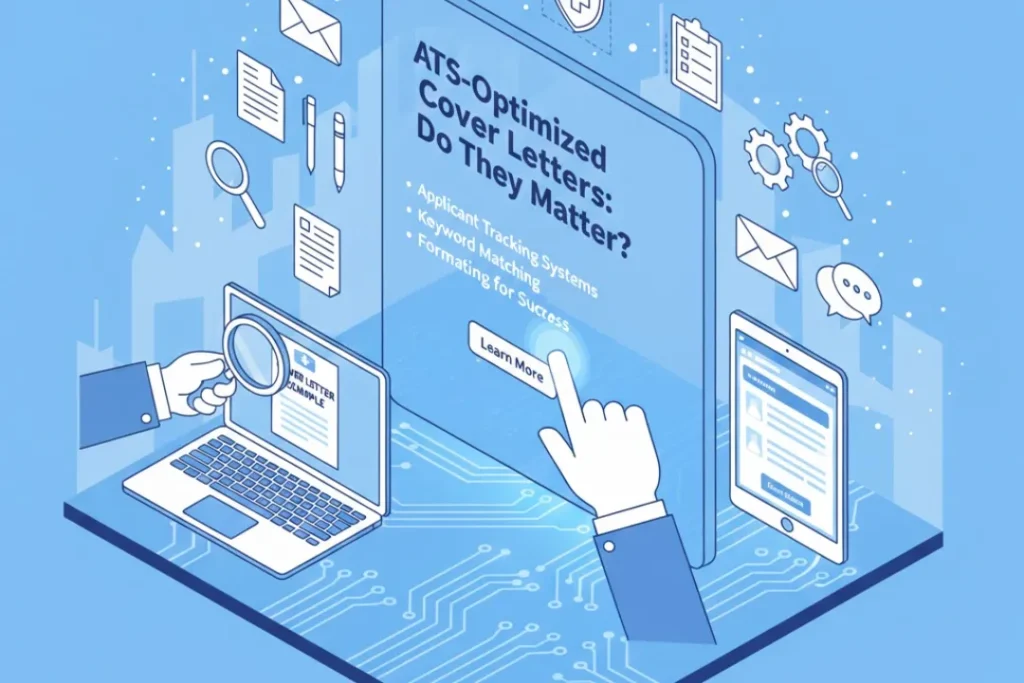
ATS-Optimized Cover Letters: Do They Matter?

In today’s digital hiring landscape, Applicant Tracking Systems (ATS) have become gatekeepers between job seekers and their dream positions. Most candidates now understand that resumes need ATS optimization to pass through these automated filters. But what about cover letters? Do these systems scan your carefully crafted introductory letters, and if so, does optimization actually matter? The answer is more nuanced than a simple yes or no, and understanding the reality of ATS technology can save you time while improving your application success rate. Understanding How ATS Actually Works Applicant Tracking Systems are software applications that help companies manage recruitment workflows. They collect applications, parse information from resumes and cover letters, store candidate data in searchable databases, and help recruiters filter applications based on specific criteria. Contrary to popular belief, ATS platforms don’t automatically reject candidates. Instead, they organize and rank applications, making it easier for human recruiters to identify promising candidates. The system extracts information from your documents and presents it in a standardized format that recruiters can quickly review. Different ATS platforms operate with varying levels of sophistication. Some simply store documents as attachments with minimal parsing, while others use advanced algorithms to extract keywords, assess qualifications, and rank candidates based on job requirements. This variation means there’s no one-size-fits-all approach to optimization. Do ATS Platforms Actually Scan Cover Letters? Here’s the crucial question: most modern ATS platforms can parse cover letters, but they don’t always prioritize them the same way they do resumes. Resumes typically receive the bulk of automated analysis because they contain structured information like job titles, dates, education, and skills that systems can easily categorize. Cover letters, being more narrative and less structured, present parsing challenges. While the technology can extract keywords from cover letters, many recruiters configure their systems to focus primarily on resume content when filtering and ranking candidates. However, this doesn’t mean cover letters are ignored. Even if the ATS doesn’t heavily weigh your cover letter in its initial ranking, human recruiters often read cover letters for candidates who make it past the first screening. Your cover letter might not get you through the digital door, but it can absolutely influence the hiring manager’s decision once you’re in consideration. The Real Purpose of Cover Letter Optimization Rather than obsessing over gaming the ATS algorithm with your cover letter, think of optimization as ensuring your document is readable and accessible. The primary goals should be making sure the system can parse your cover letter correctly, ensuring keywords align naturally with the job description, and creating a document that serves you well when human eyes review it. ATS optimization for cover letters isn’t about keyword stuffing or sacrificing quality for machine readability. It’s about smart formatting and strategic language that serves both automated systems and human readers. Essential ATS-Friendly Formatting Tips The technical aspects of ATS optimization matter more for readability than ranking. Use standard fonts like Arial, Calibri, or Times New Roman in sizes between ten and twelve points. Avoid headers and footers, as some older ATS platforms struggle to parse information in these areas. Your contact information should appear in the main body of the document. Save your cover letter as a Word document or PDF, depending on the application instructions. While most modern systems handle PDFs well, some older platforms prefer Word documents. When in doubt, follow the specific file format requested in the job posting. Skip graphics, images, tables, and text boxes. These design elements might look appealing but can confuse parsing algorithms. Stick with simple, clean formatting using standard margins and left-aligned text. Use conventional section headings if you include them at all. Strategic Keyword Integration Keywords matter, but context matters more. Review the job description and identify terms that appear multiple times or seem particularly important. These might include specific skills, software platforms, industry terminology, or qualification requirements. Incorporate these keywords naturally into your cover letter where they genuinely relate to your experience. For example, if the job requires “stakeholder management” and you have relevant experience, use that exact phrase when describing your work rather than a synonym like “working with partners.” Avoid the temptation to create a keyword list or stuff terms unnaturally into sentences. This approach fails with both ATS systems and human readers. Modern algorithms are increasingly sophisticated at recognizing context and penalizing obvious keyword manipulation. Focus on using industry-standard terminology and job-specific language throughout your letter. This serves the dual purpose of potentially improving your ATS ranking while also demonstrating to human reviewers that you understand the field and role. What Actually Matters Most While ATS optimization has its place, don’t lose sight of the cover letter’s primary purpose: connecting with the human who will ultimately make the hiring decision. The most important optimization you can do is crafting a compelling narrative that demonstrates your fit for the role. Address specific requirements mentioned in the job posting and explain how your background makes you an ideal candidate. Provide concrete examples of relevant achievements rather than generic statements about your capabilities. Show genuine enthusiasm for the company and role while maintaining professionalism. Research suggests that when recruiters do read cover letters, they spend an average of thirty to sixty seconds reviewing them. This means clarity and conciseness matter more than length. Get to the point quickly, highlight your most relevant qualifications, and make every sentence count. The Hybrid Strategy The most effective approach combines technical optimization with compelling content. Start by ensuring your cover letter uses ATS-friendly formatting and includes relevant keywords from the job description. Then focus your energy on crafting clear, specific content that resonates with human readers. Think of ATS optimization as the baseline requirement, not the end goal. You want to ensure your cover letter can be properly parsed and won’t create technical issues, but your primary focus should remain on persuading the hiring manager that you’re worth interviewing. When to Invest Time in Optimization Not all applications warrant the same level of effort. For roles that truly excite you

Featured image
Resume

AI Resume Writing Tools Compared

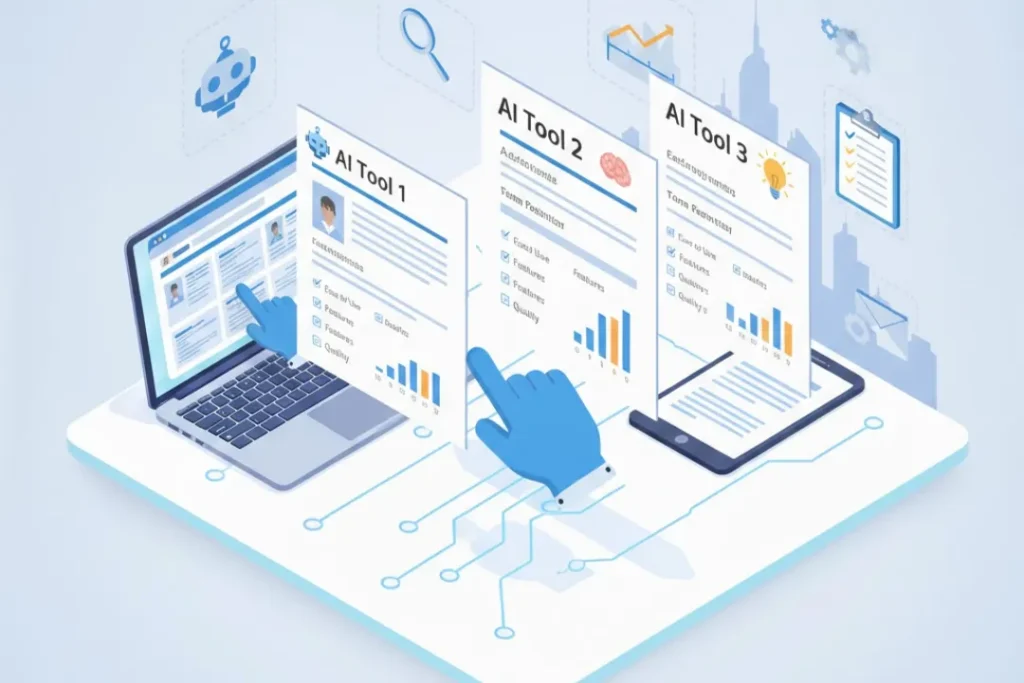
The job market has transformed dramatically with artificial intelligence reshaping how professionals approach career advancement. AI resume writing tools have emerged as powerful allies for job seekers, offering sophisticated algorithms that can craft compelling resumes in minutes. With dozens of options available, choosing the right AI resume writer can significantly impact your job search success. Understanding AI Resume Writing Technology AI resume writing tools leverage natural language processing and machine learning to analyze job descriptions, industry trends, and successful resume patterns. These platforms go beyond simple templates, using advanced algorithms to match your experience with employer expectations. The technology scans millions of job postings and successful applications to identify keywords, phrases, and formatting that resonate with applicant tracking systems and human recruiters alike. Modern AI resume builders learn from vast databases of professional profiles, understanding which accomplishments and skills combinations yield the best results across different industries. This intelligence allows them to suggest improvements that might not be obvious to traditional resume writers or even experienced career coaches. Top AI Resume Writing Tools in 2026 Several platforms have distinguished themselves in the competitive AI resume writing landscape. Each offers unique features tailored to different user needs and career stages. Rezi stands out for its ATS optimization focus. The platform specifically targets applicant tracking systems, ensuring resumes pass through automated screening processes. Rezi provides real-time content analysis, scoring your resume based on keyword density, formatting, and overall effectiveness. The tool offers both free and premium tiers, with the paid version unlocking unlimited resume versions and advanced AI suggestions. Users appreciate its straightforward interface and detailed feedback on how to improve their documents. Resume Worded combines AI technology with insights from actual recruiters and hiring managers. This platform analyzes your resume against successful examples from your target industry, providing specific recommendations for improvement. Its standout feature is the job description scanner that identifies missing keywords and suggests exact phrases to include. The tool also offers LinkedIn profile optimization, making it valuable for comprehensive personal branding efforts. Kickresume appeals to users seeking design flexibility alongside AI assistance. The platform provides over 50 professionally designed templates while using AI to generate compelling content. Its GPT-4 powered resume writer can create entire resume sections from brief prompts, though users should review and personalize the output. Kickresume includes a cover letter builder and personal website creator, offering an all-in-one solution for job seekers. Teal takes a holistic approach to job searching by integrating resume building with job tracking and career development features. The AI resume builder connects directly to your work history, pulling information to create tailored resumes for specific positions. Teal’s strength lies in its job application tracker, which helps users manage multiple applications while customizing resumes for each opportunity. The platform offers excellent collaboration features for those seeking feedback from mentors or career advisors. Enhancv focuses on storytelling and personal branding, using AI to help professionals showcase their unique value proposition. The platform encourages users to highlight achievements and impact rather than simply listing duties. Its AI content generator suggests powerful action verbs and quantifiable results, transforming basic job descriptions into compelling narratives. Enhancv particularly excels for creative professionals and those in competitive fields where differentiation matters. Comparing Features and Functionality When evaluating AI resume writing tools, several key features deserve consideration. ATS compatibility remains crucial, as approximately 75% of resumes never reach human eyes due to automated filtering. The best tools provide clear feedback on ATS optimization, ensuring your resume includes relevant keywords without awkward stuffing. Content quality varies significantly across platforms. While all AI tools can generate text, the sophistication of suggestions differs. Premium tools offer context-aware recommendations that understand industry nuances and career progression patterns. They recognize when to emphasize leadership experience versus technical skills based on your target role. Customization capabilities determine how well you can tailor resumes for different opportunities. Top platforms allow easy duplication and modification of base resumes, enabling efficient application to multiple positions. Look for tools that remember your work history and can quickly regenerate content for new job descriptions. User experience impacts efficiency and stress levels during job searches. Intuitive interfaces with clear guidance help users complete professional resumes quickly. The best platforms balance automation with control, offering AI suggestions while allowing manual adjustments to maintain authenticity. Pricing and Value Considerations AI resume writing tools typically offer freemium models or subscription-based pricing. Free versions generally provide basic templates and limited AI features, suitable for entry-level positions or those with straightforward career paths. However, serious job seekers benefit from premium subscriptions ranging from $10 to $30 monthly. Consider the cost against potential returns. A well-optimized resume can reduce job search time by weeks or months, potentially impacting salary negotiations and career trajectory. Premium features like unlimited resume versions, advanced AI analysis, and cover letter generation often justify the investment for active job seekers. Making Your Choice Selecting the right AI resume writing tool depends on your specific circumstances. Recent graduates might prioritize affordability and templates that compensate for limited experience. Career changers benefit from platforms that excel at translating transferable skills. Senior professionals need tools that effectively showcase leadership and strategic impact. Test multiple platforms using free trials before committing to subscriptions. Pay attention to how natural the AI-generated content sounds and whether suggestions align with your industry’s expectations. The best tool combines powerful AI capabilities with your unique insights and experiences. AI resume writing tools have democratized access to professional-quality career documents, but they work best as collaborative partners rather than complete replacements for human judgment. Use these platforms to enhance your resume while ensuring the final product authentically represents your professional story and career aspirations.

Featured image
Resume

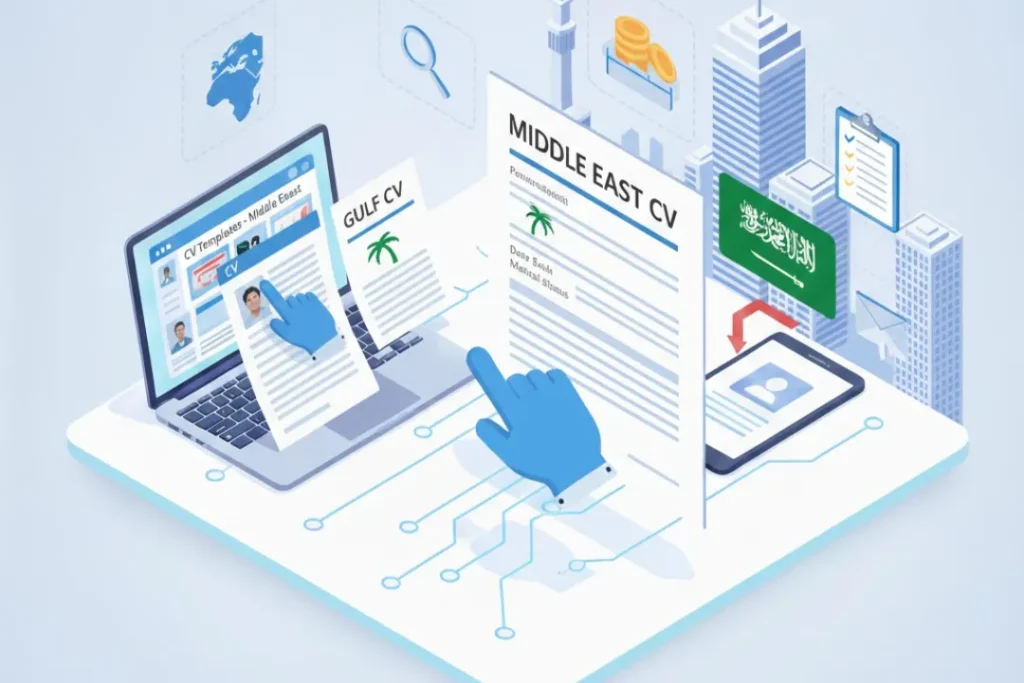
CV Templates for Middle East Jobs

Landing a job in the Middle East requires more than just qualifications and experience. Your curriculum vitae serves as your first impression, and in competitive markets like the UAE, Saudi Arabia, Qatar, and Oman, having a professionally formatted CV can make the difference between securing an interview and being overlooked. Understanding Middle East CV Expectations The Middle East job market has unique expectations when it comes to CV presentation. Unlike Western countries where brevity is valued, employers in Gulf Cooperation Council (GCC) countries often expect comprehensive CVs that provide detailed information about your background, qualifications, and personal details. Most Middle Eastern employers prefer CVs that are between two to three pages long, allowing candidates to thoroughly showcase their experience and credentials. This differs significantly from the one-page resume standard in countries like the United States, making it essential to choose the right template that accommodates this preference. Essential Components of Middle East CVs When selecting or creating a CV template for Middle East positions, ensure it includes specific sections that local employers expect. Your CV should prominently feature personal information including your full name, nationality, date of birth, marital status, and current location. While some of these details might be omitted in Western CVs due to discrimination laws, they are standard requirements in Middle Eastern job applications. A professional photograph is almost mandatory for Middle East CVs. Choose a template with a dedicated space for a high-quality headshot. This should be a formal, business-appropriate photo with professional attire and a neutral background. The photograph placement is typically in the top right or left corner of the first page. Your contact information should be comprehensive, including your email address, phone number with country code, and LinkedIn profile URL. Given the international nature of Middle East job markets, ensuring your contact details facilitate easy communication across time zones is crucial. Formatting Styles That Work Middle East employers generally prefer clean, professional CV templates with clear section divisions. Chronological formats work best, as they allow recruiters to quickly understand your career progression. Reverse chronological order is the standard, starting with your most recent position and working backward. Conservative color schemes are recommended. While creative industries might accept some color variation, most positions in the Middle East favor black text on white backgrounds with minimal accent colors. Navy blue, dark gray, or burgundy can be used sparingly for section headers or lines to add visual interest without appearing unprofessional. Font selection matters significantly. Stick with professional, easily readable fonts such as Arial, Calibri, Times New Roman, or Garamond. Font sizes should range between 10 and 12 points for body text, with slightly larger sizes for your name and section headings. Consistency in font usage throughout the document demonstrates attention to detail. Tailoring Templates by Country Different Middle Eastern countries have subtle preferences worth considering. In the UAE, particularly in Dubai and Abu Dhabi, international standards blend with local expectations. CV templates with modern, sleek designs work well, especially for positions in finance, technology, and hospitality sectors. Saudi Arabia’s job market traditionally favors more conservative CV presentations. Templates with straightforward layouts and minimal design elements are appreciated. Include Arabic translations of your name and job titles if applying to government entities or traditional Saudi companies. Qatar’s rapidly developing job market, especially sectors related to infrastructure and education, values CVs that highlight international qualifications and experience. Templates that emphasize educational credentials and certifications work particularly well for Qatari applications. Digital Template Resources Numerous platforms offer CV templates specifically designed for Middle East job applications. Microsoft Word and Google Docs provide free templates that can be customized to meet regional requirements. Professional networking sites like LinkedIn allow you to download your profile as a formatted CV, which can serve as a starting point. Specialized job portals such as Bayt.com and GulfTalent.com offer region-specific CV builders that automatically format your information according to Middle East standards. These platforms understand local employer expectations and structure templates accordingly. For those seeking premium options, websites like Canva, Resume.io, and Novoresume provide professionally designed templates with Middle East-friendly layouts. While some require subscriptions, they offer sophisticated designs that stand out while maintaining professionalism. Common Mistakes to Avoid Avoid overly creative or unconventional CV templates unless applying for creative positions. Middle East employers, particularly in traditional sectors like oil and gas, banking, and government, prefer conventional presentations. Infographic-style CVs or those with excessive graphics often get rejected by applicant tracking systems. Don’t use templates that lack space for detailed work descriptions. Middle East employers want to understand exactly what you accomplished in each role. Choose templates with adequate white space and section divisions that allow for comprehensive bullet points under each position. Neglecting to include visa status is another common oversight. Your CV template should have a clear section mentioning your current visa status, notice period, and availability to join. This information is crucial for Middle East recruiters who need to understand hiring logistics immediately. Optimizing for Applicant Tracking Systems Many Middle East companies, especially larger corporations and multinational organizations, use applicant tracking systems (ATS) to screen CVs. Choose templates that are ATS-friendly, meaning they avoid complex formatting, tables, text boxes, or graphics that software cannot read properly. Stick with standard section headings that ATS software recognizes such as “Work Experience,” “Education,” “Skills,” and “Certifications.” Creative heading names might confuse the system and result in your CV being filtered out before human eyes ever see it. Save your CV in both PDF and Word formats. While PDF preserves formatting, some Middle East companies specifically request Word documents. Having both versions ready ensures you can submit in the preferred format immediately. Final Recommendations Selecting the right CV template for Middle East jobs requires balancing professional presentation with regional expectations. Prioritize clarity, comprehensiveness, and cultural appropriateness over creative design. Your template should showcase your qualifications effectively while respecting the formal business culture prevalent across Gulf countries. Regularly update your CV template to reflect current trends while maintaining core elements that Middle East employers expect.

Featured image
Resume

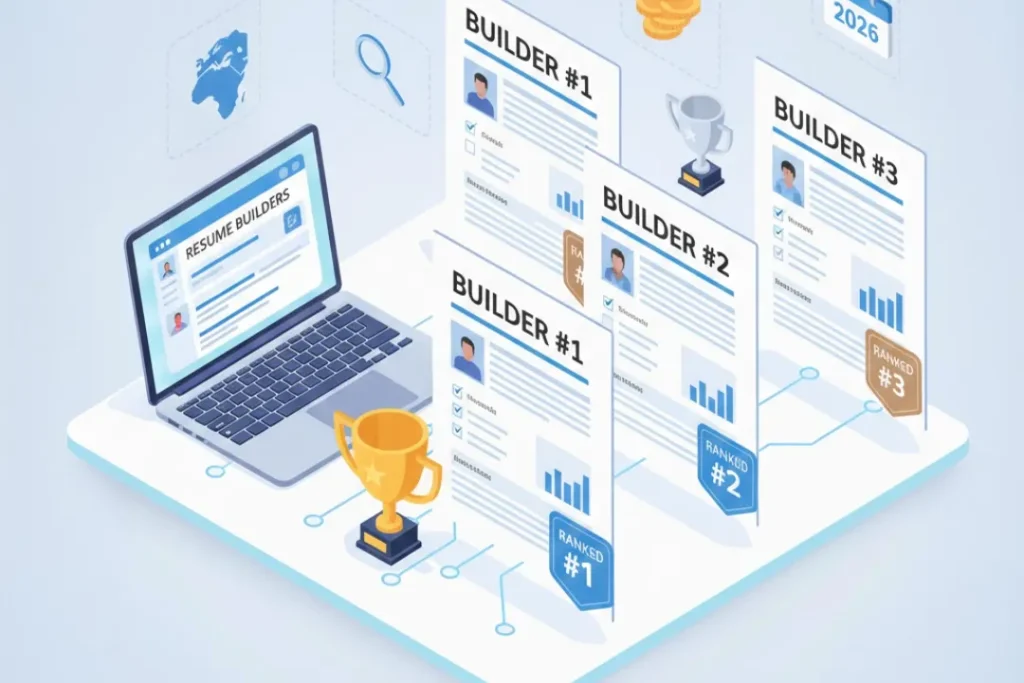
Best Resume Builders for 2026 (Ranked)

Creating a standout resume has never been more critical in today’s competitive job market. With artificial intelligence transforming recruitment processes and applicant tracking systems becoming increasingly sophisticated, job seekers need professional tools to craft resumes that pass digital screenings and impress human recruiters alike. Resume builders have evolved significantly, offering AI-powered suggestions, industry-specific templates, and seamless integration with job boards. This comprehensive guide ranks the best resume builders for 2026, helping you choose the perfect platform to accelerate your job search. Why Use a Resume Builder in 2026? The traditional approach of formatting resumes in word processors is becoming obsolete. Modern resume builders offer distinct advantages that can significantly impact your job search success. These platforms provide ATS-friendly templates ensuring your resume passes automated screening systems that filter up to 75% of applications before human review. They incorporate AI-powered content suggestions that help articulate achievements effectively, offer real-time optimization feedback, and provide instant formatting that maintains professional standards across devices. Professional resume builders save valuable time during job searches, allowing you to focus on networking and interview preparation rather than struggling with formatting issues. With built-in keyword optimization, these tools help match your qualifications to job descriptions, increasing visibility to recruiters searching candidate databases. Best Resume Builders for 2026: Detailed Rankings 1. Zety Resume Builder Zety consistently ranks as the industry leader for its intuitive interface and powerful AI capabilities. The platform offers over 20 professionally designed templates that adapt seamlessly to various industries, from creative fields to corporate environments. Its AI writing assistant analyzes job descriptions and suggests relevant skills, accomplishments, and action verbs tailored to your target role. The real-time content analyzer evaluates your resume against industry standards, providing instant feedback on length, keyword density, and impact. Zety’s unique strength lies in its comprehensive career resource library, offering interview preparation guides and salary negotiation tools alongside resume building. Pricing starts at $2.70 for a 14-day trial, with monthly subscriptions available for ongoing job searches. 2. Resume.io Resume.io distinguishes itself through exceptional design quality and user experience. The platform features elegant, modern templates that balance visual appeal with ATS compatibility. Its step-by-step builder guides users through each resume section with helpful prompts and examples, making it ideal for first-time resume creators and career changers. The platform includes a robust cover letter builder with matching designs, ensuring cohesive application materials. Resume.io’s pre-written content suggestions are particularly strong for technical roles, offering industry-specific terminology and achievement frameworks. Users appreciate the unlimited resume creation feature, allowing experimentation with different formats for various applications. Monthly plans start at $2.95 during promotional periods. 3. Novoresume Novoresume excels in versatility, offering traditional and creative resume formats suitable for diverse career paths. The platform’s strength lies in its customization options, allowing fine-tuned control over spacing, colors, and section arrangements while maintaining ATS compatibility. Its content analyzer evaluates resume effectiveness using proprietary algorithms based on recruiter preferences. The platform includes specialized templates for different experience levels, from entry-level candidates to executive professionals. Novoresume’s integration with LinkedIn streamlines the import process, automatically populating resume fields from your profile. The free version provides substantial functionality, while premium features including unlimited downloads and custom branding are available for $16 monthly. 4. Canva Resume Builder Canva revolutionizes resume design for creative professionals, offering thousands of customizable templates with stunning visual elements. While traditionally known for graphic design, Canva’s resume builder now includes ATS-optimized formats alongside creative options. This dual approach makes it perfect for designers, marketers, and artists who need portfolios alongside traditional resumes. The drag-and-drop interface provides unprecedented design freedom, allowing incorporation of infographics, custom icons, and brand colors. Collaboration features enable career counselors or mentors to provide real-time feedback. Canva’s extensive free library makes professional design accessible, with Canva Pro subscriptions at $12.99 monthly unlocking premium elements and backgrounds. 5. TopResume TopResume differentiates itself by combining technology with human expertise. Beyond automated building tools, the platform offers professional resume writing services with certified writers specializing in various industries. The free resume review service provides personalized feedback from actual recruiters, identifying specific improvements beyond standard AI suggestions. The platform’s proprietary ATS compatibility checker tests resumes against actual applicant tracking systems, ensuring optimal formatting. TopResume’s job search dashboard aggregates openings matching your profile, streamlining applications. While basic building tools are free, professional writing services range from $149 to $349 depending on career level and package selected. Choosing the Right Resume Builder Selecting the ideal resume builder depends on individual circumstances and career goals. Consider your industry standards when evaluating options, as creative fields may benefit from visually distinctive formats while conservative industries prefer traditional designs. Budget constraints matter, with free versions offering basic functionality and premium subscriptions providing advanced features worth considering for serious job searches. Technical skill level influences platform choice, with some builders requiring minimal design knowledge while others reward creativity and customization. Job search intensity also factors into decision-making, as unlimited downloads and ongoing support justify subscription costs during active searches but may not be necessary for occasional updates. Conclusion The best resume builders for 2026 combine artificial intelligence, professional design, and user-friendly interfaces to create compelling application materials. Whether you choose Zety’s comprehensive features, Resume.io’s elegant simplicity, Novoresume’s versatility, Canva’s creative freedom, or TopResume’s expert guidance, investing in a quality resume builder significantly enhances job search outcomes. These platforms transform the often-frustrating resume creation process into an efficient, confidence-building experience that positions you competitively in today’s dynamic employment landscape.

Featured image
Resume

Free Resume Templates (PDF, Word, Google Docs)

Finding the perfect resume template can be the difference between landing an interview and getting lost in a sea of applications. With countless free resume templates available in PDF, Word, and Google Docs formats, job seekers have more options than ever to create professional, eye-catching resumes that stand out to hiring managers. Why Use Free Resume Templates? Resume templates provide a solid foundation for showcasing your skills, experience, and qualifications in a professionally formatted document. Rather than starting from scratch, templates offer pre-designed layouts that ensure your resume looks polished and organized. This saves valuable time during your job search while ensuring your application materials meet modern hiring standards. Free resume templates eliminate the need for expensive design software or professional resume writing services. Whether you’re a recent graduate entering the workforce, a seasoned professional seeking career advancement, or someone transitioning between industries, accessible templates help you create compelling resumes without financial barriers. PDF Resume Templates: Universal Compatibility PDF resume templates offer unmatched compatibility across different devices and operating systems. When you download a PDF template, you can be confident that your carefully crafted formatting will remain intact regardless of who opens it or what device they use. This consistency makes PDF formats ideal for submitting applications through online portals and email. Many PDF templates come with fillable fields, allowing you to input your information directly into the document. This feature is particularly useful for job seekers who want a quick, straightforward way to create professional resumes without extensive editing capabilities. Once completed, PDF resumes maintain their professional appearance and cannot be accidentally altered by recipients. Word Resume Templates: Maximum Flexibility Microsoft Word remains one of the most popular formats for resume creation, and for good reason. Word templates offer extensive customization options, allowing you to adjust fonts, colors, spacing, and layout elements to match your personal brand. This flexibility makes Word templates perfect for job seekers who want complete control over their resume’s appearance. The widespread availability of Microsoft Word means most people can easily edit these templates on their computers. Modern Word resume templates include various styles, from traditional chronological formats to contemporary designs with creative elements. Many templates feature built-in sections for summary statements, work experience, education, skills, and additional categories like certifications or volunteer work. Word templates also support advanced features like tables, text boxes, and columns, enabling complex layouts that highlight your qualifications effectively. You can save your completed resume as a Word document for easy updates or export it as a PDF for submission. Google Docs Resume Templates: Cloud-Based Convenience Google Docs templates have gained popularity due to their accessibility and collaborative features. These cloud-based templates can be accessed from any device with internet connection, making them ideal for job seekers who work across multiple computers or prefer mobile editing capabilities. Google Docs offers a template gallery with numerous free resume options, all professionally designed and ready to customize. The auto-save feature ensures you never lose your work, while the sharing capabilities allow mentors, career counselors, or friends to provide feedback directly on your document. The platform’s simplicity makes Google Docs templates particularly attractive to users who want straightforward editing without complex software. You can easily download your completed resume as a PDF or Word document for submission, maintaining formatting integrity across different file types. Choosing the Right Template for Your Industry Different industries have varying expectations for resume presentation. Creative fields like graphic design, marketing, or advertising often appreciate visually distinctive templates with color and design elements. Meanwhile, conservative industries such as finance, law, or healthcare typically prefer traditional, minimalist templates with clean layouts and standard fonts. Consider your target industry when selecting a template. Research companies you’re interested in and examine their branding to understand their corporate culture. This insight helps you choose templates that align with organizational expectations while showcasing your professionalism. Essential Elements Every Resume Template Should Include Regardless of format, quality resume templates should include designated sections for contact information, professional summary or objective, work experience, education, and skills. Optional sections might include certifications, awards, publications, volunteer experience, or languages. Look for templates with clear hierarchy and adequate white space. Recruiters spend mere seconds scanning each resume, so information should be easily digestible. Headers should stand out, bullet points should be concise, and your most relevant qualifications should appear prominently. Customizing Your Template Effectively While templates provide excellent starting points, customization is crucial for standing out. Personalize your chosen template by adjusting colors to match your professional brand, selecting fonts that reflect your industry standards, and reorganizing sections to emphasize your strongest qualifications. Tailor your resume content for each application by highlighting relevant experience and skills that match job requirements. Even with a template foundation, your unique career story should shine through, demonstrating why you’re the ideal candidate for specific positions. Where to Find Quality Free Resume Templates Numerous reputable websites offer free, professionally designed resume templates. Microsoft Office provides templates directly through Word, while Google Docs includes options in its template gallery. Job search platforms, career websites, and design resources also offer downloadable templates in various formats. When selecting sources, prioritize websites with modern, ATS-friendly templates. Applicant Tracking Systems scan resumes before human review, so templates should use standard formatting that these systems can easily parse. Conclusion Free resume templates in PDF, Word, and Google Docs formats democratize access to professional resume design, empowering job seekers at all levels to create compelling applications. By selecting appropriate templates, customizing them thoughtfully, and tailoring content to specific opportunities, you can develop powerful resumes that open doors to your desired career path. Start exploring available templates today and take the first step toward landing your next opportunity.

Cover Letter

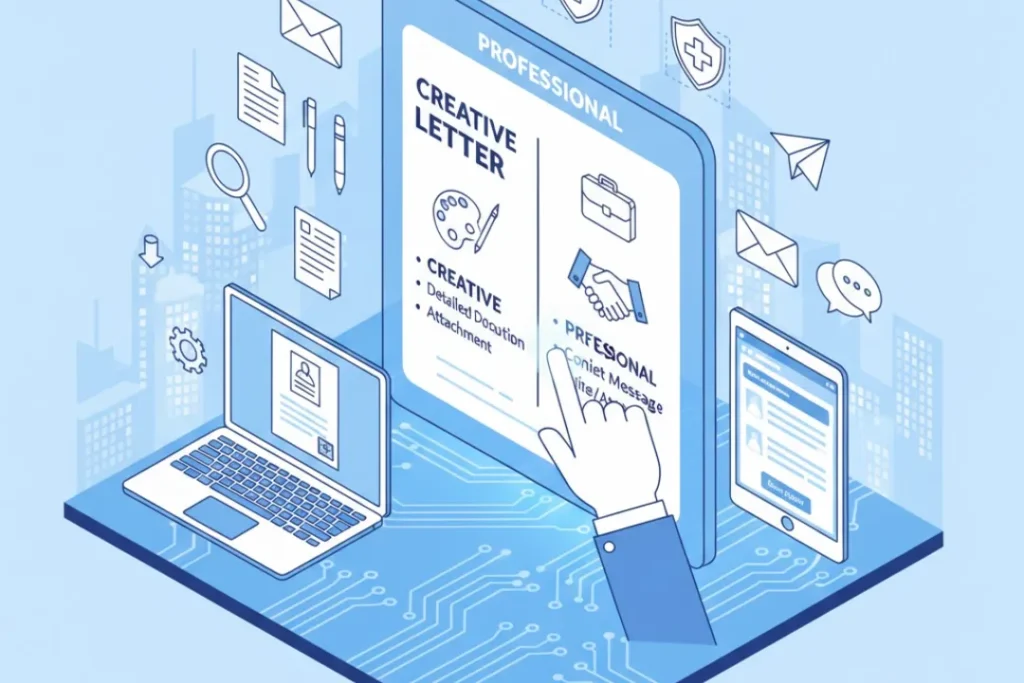
Free Cover Letter Templates to Download

Landing your dream job starts with making a stellar first impression, and a well-crafted cover letter is your opportunity to shine before the interview. However, creating a cover letter from scratch can be time-consuming and overwhelming, especially when you’re unsure about formatting and structure. That’s where free cover letter templates come in, offering you professionally designed formats that you can customize to match your unique experience and the specific job you’re applying for. Why You Need a Professional Cover Letter Template In today’s competitive job market, hiring managers often spend mere seconds scanning application materials. A polished, well-organized cover letter template ensures your qualifications don’t get lost in poor formatting or unprofessional presentation. Using a proven template helps you focus on what truly matters: articulating your value proposition and demonstrating why you’re the ideal candidate for the position. Professional templates also save you valuable time during your job search. Instead of worrying about margins, font choices, and layout decisions, you can direct your energy toward crafting compelling content that showcases your achievements and enthusiasm for the role. This efficiency becomes particularly valuable when you’re applying to multiple positions and need to customize each application. Types of Free Cover Letter Templates Available The variety of free cover letter templates available today ensures you can find the perfect match for your industry and career level. Traditional templates work well for conservative fields like finance, law, and healthcare, featuring clean layouts with standard fonts and minimal design elements. These templates convey professionalism and attention to detail without unnecessary flourishes. Creative templates appeal to professionals in design, marketing, advertising, and other innovative fields. These formats incorporate tasteful color accents, modern typography, and strategic white space to demonstrate your aesthetic sensibility while maintaining readability and professionalism. Entry-level templates are specifically designed for recent graduates and career changers who may have limited work experience. These formats emphasize education, relevant coursework, internships, volunteer work, and transferable skills, helping you present your potential despite a shorter employment history. Executive-level templates cater to senior professionals and leadership candidates, offering sophisticated layouts that highlight extensive experience, notable achievements, and strategic vision. These templates typically provide more space for discussing leadership philosophy and industry contributions. Popular File Formats for Cover Letter Templates Understanding the different file formats available helps you choose templates compatible with your workflow and the employer’s requirements. Microsoft Word (.docx) templates remain the most popular choice, offering easy editing capabilities and widespread compatibility across different platforms. These templates allow you to quickly customize text, adjust formatting, and save multiple versions for different applications. Google Docs templates provide cloud-based accessibility, enabling you to work on your cover letter from any device with internet access. This format facilitates easy sharing with mentors, career counselors, or friends who can provide feedback on your draft. Google Docs templates also automatically save your progress, eliminating the risk of losing your work. PDF templates offer the advantage of preserving your formatting exactly as designed, ensuring your cover letter looks identical regardless of which device or software the hiring manager uses to view it. While PDFs are excellent for final submissions, they’re less suitable for the editing phase unless you have specialized software. Plain text templates work well when applying through online application systems that don’t support formatted documents. These stripped-down versions focus purely on content structure, ensuring your message remains clear even without visual formatting elements. Key Features to Look for in Quality Templates When selecting a free cover letter template, certain features distinguish exceptional options from mediocre ones. Look for templates with clear visual hierarchy that guides the reader’s eye naturally through your letter, from your contact information through your closing statement. Proper spacing between sections prevents your content from appearing cramped or overwhelming. Customization flexibility is essential, as rigid templates that don’t allow font changes, color adjustments, or layout modifications can limit your ability to match the template to your personal brand or the company’s aesthetic. The best templates serve as starting points that you can adapt to your specific needs. Professional appearance matters tremendously, so avoid templates with excessive graphics, unusual fonts, or distracting design elements that detract from your message. Remember that your cover letter should complement your resume while maintaining a cohesive professional image. ATS-friendly design has become increasingly important as many companies use Applicant Tracking Systems to screen applications. Templates with simple formatting, standard fonts, and clear section headers improve the likelihood that automated systems will correctly parse your information. Where to Download Free Cover Letter Templates Numerous reputable websites offer high-quality free cover letter templates. Microsoft Office provides an extensive template library directly within Word, featuring professionally designed options for various industries and experience levels. These templates integrate seamlessly with the software you’re likely already using. Google Docs template gallery includes numerous cover letter formats that you can copy to your own Google Drive and customize immediately. The collaborative features make it easy to share your draft and incorporate feedback from others. Canva offers visually appealing templates that balance creativity with professionalism, allowing you to create eye-catching cover letters that still maintain appropriate business standards. The drag-and-drop interface makes customization accessible even for those without design experience. LinkedIn, Indeed, and other major job platforms frequently provide free templates tailored to specific industries and job types. These resources often include helpful tips and examples alongside the templates, providing additional guidance as you craft your letter. Professional career services websites and university career centers typically offer free downloadable templates designed by career counselors who understand what hiring managers seek in application materials. Tips for Customizing Your Template Effectively Downloading a template is just the first step; customization transforms a generic format into a powerful personal marketing tool. Always personalize the greeting by addressing the hiring manager by name whenever possible. Research the company website or LinkedIn to identify the appropriate contact person rather than using generic salutations. Tailor your content to each specific job posting by incorporating keywords from the job description and demonstrating how your experience aligns

Featured image
Resume

Leadership Skills to Add to Your Resume

In today’s competitive job market, leadership skills have become essential qualifications that employers actively seek, regardless of the position level. Whether you’re applying for a management role or an entry-level position, demonstrating leadership capabilities on your resume can significantly enhance your candidacy and set you apart from other applicants. Why Leadership Skills Matter on Your Resume Leadership skills transcend traditional management positions. Employers value candidates who can take initiative, inspire colleagues, and drive results even without formal authority. These competencies signal your potential for growth, your ability to contribute to team success, and your readiness to handle increased responsibilities. Including relevant leadership skills on your resume demonstrates that you’re not just a task executor but a potential catalyst for organizational improvement. Strategic Planning and Vision Strategic planning represents one of the most valued leadership competencies. This skill involves setting long-term goals, identifying resources needed to achieve them, and creating actionable roadmaps for success. When adding strategic planning to your resume, include specific examples such as developing departmental initiatives, creating project timelines, or implementing new processes that aligned with organizational objectives. Quantify your achievements whenever possible, such as mentioning how your strategic approach increased efficiency by a certain percentage or contributed to revenue growth. Team Building and Collaboration Effective leaders excel at assembling high-performing teams and fostering collaborative environments. Team building skills encompass recruiting talent, delegating responsibilities appropriately, and creating cohesive groups that work toward common goals. On your resume, highlight instances where you’ve formed cross-functional teams, mentored junior colleagues, or facilitated collaboration between departments. Emphasize outcomes like improved team productivity, reduced turnover rates, or successful project completions that resulted from your team-building efforts. Communication and Active Listening Communication stands as the cornerstone of effective leadership. This multifaceted skill includes verbal and written communication, presentation abilities, and perhaps most importantly, active listening. Strong leaders articulate vision clearly, provide constructive feedback, and ensure information flows effectively throughout the organization. When showcasing communication skills on your resume, reference specific accomplishments such as delivering presentations to stakeholders, leading client negotiations, or creating communication protocols that enhanced organizational transparency. Decision-Making and Problem-Solving Leaders regularly face situations requiring quick, informed decisions. Decision-making skills demonstrate your ability to analyze information, weigh alternatives, consider risks, and choose optimal courses of action under pressure. Problem-solving complements this by showing how you identify challenges and develop creative solutions. Include examples on your resume that illustrate your analytical approach, such as resolving conflicts, troubleshooting operational issues, or making data-driven decisions that positively impacted business outcomes. Delegation and Empowerment Knowing when and how to delegate tasks represents crucial leadership wisdom. Effective delegation involves understanding team members’ strengths, assigning appropriate responsibilities, and trusting others to deliver results. This skill demonstrates confidence, organizational awareness, and the ability to maximize team potential. On your resume, mention instances where you successfully distributed workload, empowered team members to take ownership of projects, or developed others’ skills through strategic task assignment. Emotional Intelligence and Empathy Modern leadership increasingly emphasizes emotional intelligence—the ability to recognize, understand, and manage your own emotions while empathizing with others. Leaders with high emotional intelligence build stronger relationships, navigate conflicts more effectively, and create positive work environments. Demonstrate this skill by highlighting experiences where you mediated disputes, supported team members through challenges, or adapted your leadership approach to meet diverse team needs. Adaptability and Change Management In rapidly evolving business environments, adaptability has become indispensable. Leaders must navigate uncertainty, guide teams through transitions, and remain effective amid constant change. Change management skills show your ability to implement new systems, restructure processes, and help others embrace transformation. Include examples of leading organizational changes, adopting new technologies, or pivoting strategies in response to market shifts. Accountability and Integrity Taking responsibility for outcomes—both successes and failures—defines authentic leadership. Accountability means owning your decisions, meeting commitments, and holding yourself to high standards. Integrity involves leading by example and maintaining ethical standards. These qualities may be demonstrated through consistent track records, completion rates, or instances where you took responsibility for team outcomes and implemented improvements based on lessons learned. Motivation and Inspiration Great leaders inspire others to achieve their best work. Motivational skills involve recognizing achievements, providing encouragement, and creating environments where people feel valued and driven to excel. On your resume, showcase how you’ve boosted team morale, increased engagement scores, or created recognition programs that enhanced performance and job satisfaction. Conflict Resolution Disagreements inevitably arise in any workplace, and leaders must address them constructively. Conflict resolution skills demonstrate your ability to mediate disputes, find common ground, and maintain productive relationships despite differences. Include examples of successfully resolving team conflicts, negotiating compromises, or facilitating difficult conversations that led to positive outcomes. How to Present Leadership Skills Effectively When adding leadership skills to your resume, integrate them throughout rather than simply listing them. Include them in your professional summary, weave them into job descriptions with specific achievements, and support them with quantifiable results. Use action verbs like “led,” “managed,” “coordinated,” “mentored,” and “developed” to convey leadership actively. Tailor your leadership skills to match job requirements, emphasizing those most relevant to your target position. Back each skill with concrete examples demonstrating impact, and whenever possible, include metrics that prove your effectiveness. Mentorship and Coaching The ability to mentor and coach others represents a sophisticated leadership skill that employers highly value. Mentorship involves guiding less experienced colleagues, sharing knowledge, and helping others develop their careers. Coaching focuses on unlocking individual potential through supportive questioning and feedback. Demonstrate these skills by mentioning formal mentorship programs you’ve participated in, the number of team members you’ve developed, or career advancement achieved by those you’ve mentored. Conclusion Leadership skills have become fundamental qualifications across all career levels and industries. By strategically incorporating these competencies into your resume with supporting evidence and measurable results, you position yourself as a valuable candidate ready to contribute meaningfully to organizational success and growth. Remember that effective leadership continues evolving, so regularly update your skills and showcase your commitment to continuous improvement as a leader.

Featured image
Tips & Updates

Communication Skills Examples for Resume

In today’s competitive job market, strong communication skills can be the difference between landing an interview and being overlooked. Employers consistently rank communication abilities among the most sought-after qualities in candidates, making it essential to showcase these skills effectively on your resume. Why Communication Skills Matter on Your Resume Communication skills demonstrate your ability to convey information clearly, collaborate with team members, and build relationships with clients and stakeholders. Whether you’re applying for a customer service position, management role, or technical job, effective communication is fundamental to workplace success. Hiring managers spend an average of six seconds scanning each resume. Highlighting specific communication skills with concrete examples helps you make an immediate impact and proves you possess the interpersonal abilities necessary to thrive in their organization. Types of Communication Skills for Your Resume Verbal Communication Skills Verbal communication involves speaking clearly and confidently in various professional settings. Key examples include: Public Speaking: Delivering presentations to large audiences, conducting training sessions, or speaking at conferences. This skill shows you can articulate ideas persuasively and maintain audience engagement. Negotiation: Reaching mutually beneficial agreements with clients, vendors, or team members. Strong negotiators save companies money and build lasting business relationships. Active Listening: Fully concentrating on what others say, understanding their message, and responding thoughtfully. This skill prevents miscommunication and demonstrates respect for colleagues. Phone Communication: Handling customer inquiries, conducting interviews, or managing client relationships over the phone with professionalism and clarity. Written Communication Skills Written communication encompasses all forms of professional writing. Essential examples include: Email Correspondence: Crafting clear, concise emails that convey important information while maintaining professional tone and proper etiquette. Report Writing: Creating detailed reports, documentation, or analyses that present complex information in an accessible format for stakeholders. Content Creation: Developing marketing materials, blog posts, social media content, or technical documentation that engages target audiences. Editing and Proofreading: Reviewing documents for clarity, accuracy, and grammatical correctness before distribution. Nonverbal Communication Skills Nonverbal communication includes body language, facial expressions, and other visual cues that enhance your message: Professional Presence: Maintaining appropriate eye contact, confident posture, and professional demeanor during meetings and presentations. Video Conferencing Etiquette: Effectively communicating through virtual platforms while managing technical aspects and maintaining engagement. Presentation Design: Creating visually appealing slides and materials that support and enhance verbal presentations. Interpersonal Communication Skills Interpersonal skills focus on one-on-one and small group interactions: Conflict Resolution: Mediating disputes, addressing complaints, and finding solutions that satisfy all parties involved. Collaboration: Working effectively within teams, sharing information openly, and contributing to group success. Empathy: Understanding and acknowledging others’ perspectives, feelings, and concerns in professional interactions. Relationship Building: Establishing and maintaining positive connections with colleagues, clients, and stakeholders. How to List Communication Skills on Your Resume Skills Section Create a dedicated skills section that highlights your strongest communication abilities. Use bullet points for easy scanning: Work Experience Section Demonstrate communication skills through specific achievements and responsibilities: Instead of: “Responsible for customer communication” Write: “Resolved 95% of customer inquiries on first contact through active listening and clear problem-solving communication” Instead of: “Gave presentations” Write: “Delivered monthly presentations to 50+ stakeholders, resulting in 30% increase in project buy-in” Quantify Your Impact Numbers add credibility and make your communication skills tangible: Industry-Specific Communication Skills Different industries prioritize specific communication abilities: Customer Service: Complaint resolution, telephone etiquette, patience, positive language Marketing: Copywriting, storytelling, social media management, brand voice consistency Healthcare: Patient communication, medical terminology, compassionate listening, documentation Technology: Technical writing, translating complex concepts, Agile communication, documentation Sales: Persuasive communication, objection handling, relationship building, closing techniques Common Mistakes to Avoid Being Too Vague: Avoid generic phrases like “excellent communicator” without supporting evidence. Overusing Buzzwords: Terms like “team player” and “great listener” are overused. Be specific instead. Ignoring Soft Skills: Don’t focus solely on technical abilities; communication bridges all functions. Failing to Proofread: Typos and grammatical errors contradict claims of strong written communication skills. Tailoring Communication Skills to Job Descriptions Review job postings carefully to identify which communication skills employers emphasize. If a position requires “stakeholder management,” highlight your experience presenting to executives. For roles emphasizing “customer communication,” showcase your conflict resolution and active listening abilities. Mirror the language used in job descriptions while remaining truthful about your experiences. This optimization helps your resume pass applicant tracking systems and resonates with hiring managers. Conclusion Communication skills are invaluable assets that enhance your resume and career prospects. By showcasing specific examples, quantifying achievements, and tailoring your skills to each position, you demonstrate the professional communication abilities employers seek. Remember that your resume itself is a communication tool—ensure it’s clear, concise, and error-free to make the best possible impression. Invest time in developing and articulating your communication skills, and you’ll significantly increase your chances of securing interviews and advancing your career.

Scroll to Top